The concept
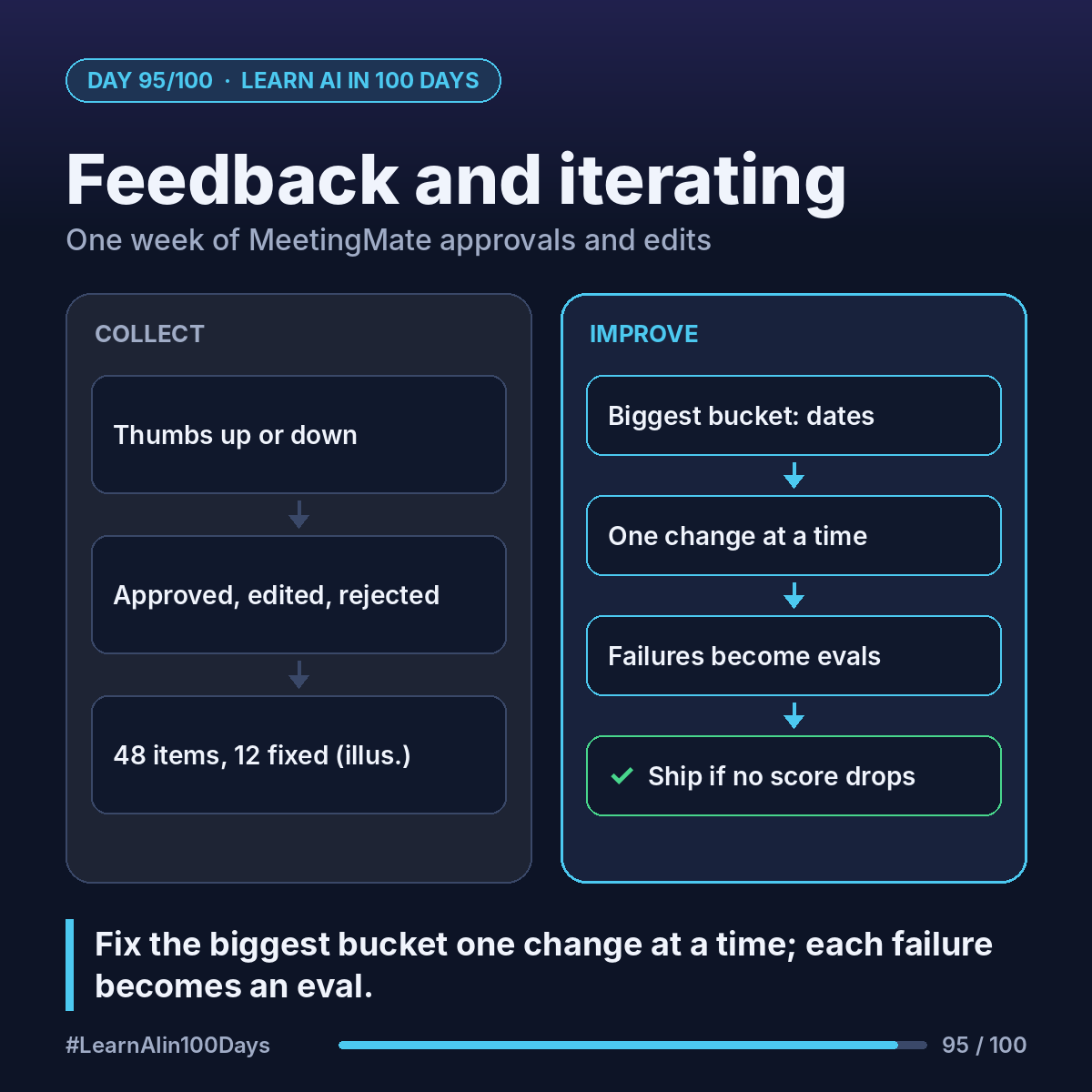
Feedback loop: collect what users think of each output, find the patterns, fix one thing, check you didn't break anything, repeat.
Explicit feedback: a thumbs up or down, or a comment.
Implicit feedback: what users do. Approved as is, edited, or rejected.
For MeetingMate, the implicit kind is gold: the approval step already shows every action item someone had to correct.
Walkthrough: one week of MeetingMate feedback
1. Collect. Add a thumbs up/down next to each action item, plus an optional comment. In Streamlit (Day 94) that's one widget, st.feedback("thumbs"). Log it with the run ID, plus whether the item was approved, edited or rejected.
2. Count (illustrative numbers). In a one-week pilot, the team ran 15 meetings, 48 action items: 36 approved unchanged, 9 edited, 3 rejected.
3. Sort the 12 problems into buckets:
- Wrong due date: 6. "End of sprint" became a random date.
- Wrong owner: 3. "The mobile squad" wasn't in the owner directory.
- Duplicate missed: 2.
- Not really a task: 1.
4. Fix the biggest bucket, one change at a time. Add the sprint calendar to MeetingMate's knowledge (Day 90) and tell it: if a date is unclear, leave it blank and mark "needs date" instead of guessing.
5. Turn feedback into tests. Each of the 6 date failures becomes a new eval case (Day 91), anonymized. The exam grows from 20 to 26.
6. Rerun the full eval. Ship the change only if dates improve and nothing else drops. Then tell users what changed: "Unclear dates are now flagged instead of guessed."
Where you see it at work
- Banking: complaint-summary edits by staff reveal which case types the model gets wrong.
- Insurance: adjuster overrides on claim triage are a built-in error log.
- Healthcare: clinician corrections to draft notes guide the next prompt change.
- Product owners: the buckets become your backlog, ranked by count.
Try it today (10–15 min)
1. Add three columns to your run log: approved, edited, rejected.
2. Run 5 of your test transcripts and record what you'd change in each output.
3. Group the changes into 2–3 buckets and pick the biggest one.
4. Write one new eval case from it.
5. For a ready-made pattern, see Streamlit's tutorial on collecting LLM feedback: https://docs.streamlit.io/develop/tutorials/chat-and-llm-apps/chat-response-feedback
In one sentence
Log every approval, edit and thumbs-down, fix the biggest bucket one change at a time, and turn each failure into a new eval case.