The concept
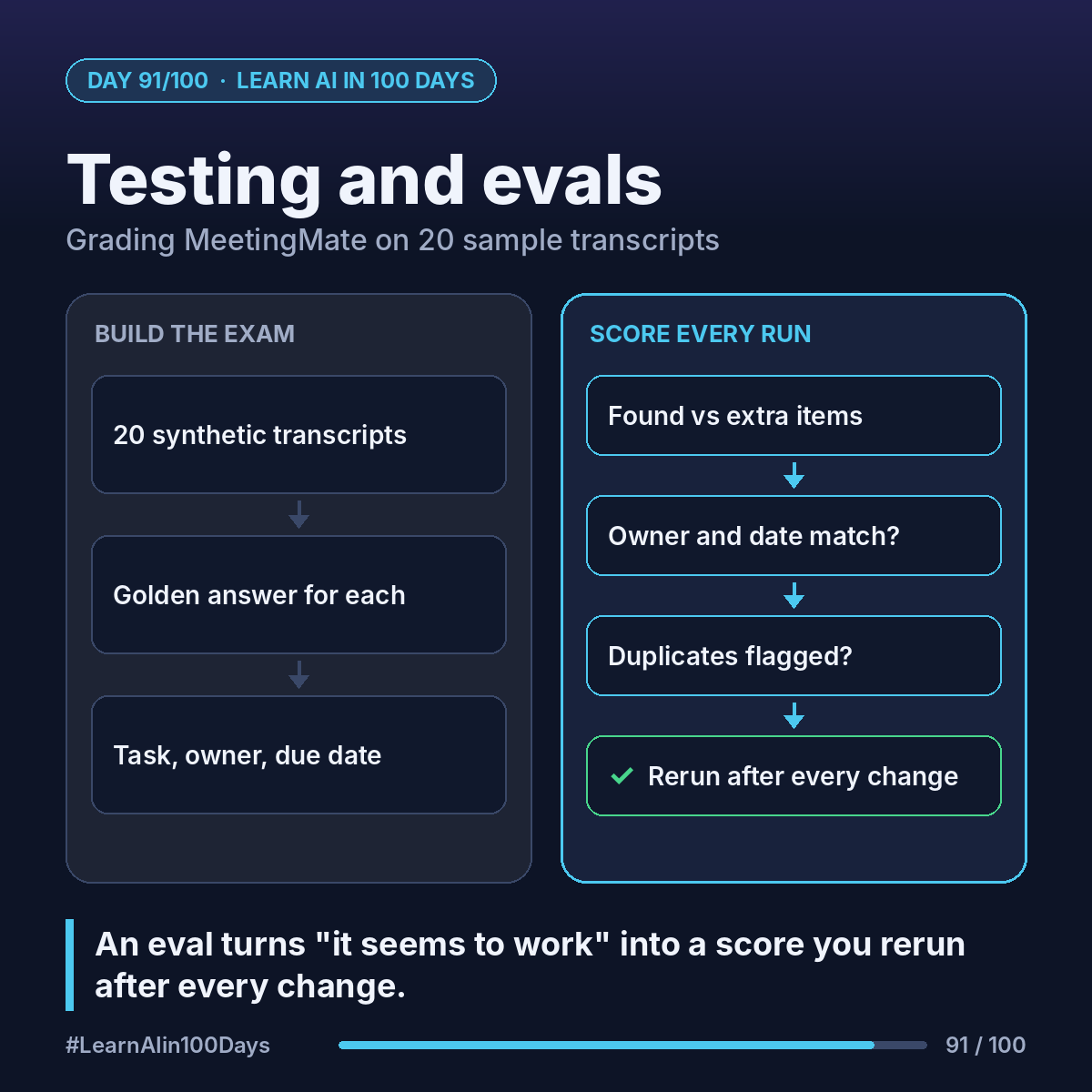
Eval (evaluation): a fixed set of test inputs, the answers you expect, and a score showing how close the agent got.
Golden answer: the expected output for one test case, written by a person before the agent runs.
Why: an LLM can answer the same transcript differently each run, and a prompt tweak can fix one thing and break another. An eval turns "seems fine" into a number.
Walkthrough: grading MeetingMate on 20 transcripts
1. Collect 20 synthetic transcripts. Start with our product sync (Ana, Raj, Lena, 3 action items), then add variety: zero action items, nobody claims a task ("someone should check the release notes"), relative dates ("by Friday"), a task that is already open, one long rambling call.
2. Write each golden answer: expected action items as JSON (task, owner, due date).
3. Run MeetingMate on all 20, save the outputs, and score each:
- Found: expected items it caught (recall, Day 7).
- Extra: items it invented (precision).
- Owner right? Exact match with the owner directory.
- Due date right? Exact match after turning "Friday" into a date.
- Duplicate flagged when the task is already open?
Plain code checks owner and date. "Same task, different words?" is fuzzier: a person grades it, or a second model with a clear rubric answering only "match" or "no match".
4. Read the result (illustrative): 58 expected items, 52 found, 3 extra, 49 owners right, 2 duplicates missed. Now you know where to work: dates and duplicates, not the whole prompt.
5. Keep the 20 cases. Every change to prompt, tools or glossary reruns them, and ships only if the score holds or rises.
Where you see it at work
- Banking: testing a complaints summarizer on already-labelled cases.
- Insurance: checking extracted claim fields against what an adjuster recorded.
- Healthcare: comparing note summaries with clinician-reviewed versions.
- Product and BA work: golden answers are acceptance criteria, written before the build.
Try it today (10–15 min)
1. Write 5 short fake meeting notes, each with 0–3 action items.
2. In a table, write the expected task, owner and due date for each.
3. Run one through MeetingMate (or any LLM with your Day 87 prompt) and mark found, extra, owner, date.
4. Add a case with no clear owner. What is the right answer?
5. Anthropic's guide to building evals: https://platform.claude.com/docs/en/test-and-evaluate/develop-tests
In one sentence
An eval is a fixed exam of inputs and golden answers that turns "it seems to work" into a score you rerun after every change.