The concept
A tool lets an agent act in another system (Microsoft's docs now say "tools"; older material says "actions"). Tool types in Copilot Studio:
- Connector: prebuilt (SharePoint, Outlook, Salesforce and many more) or custom.
- Agent flow: a step-by-step automation built like Power Automate.
- REST API: call a web API you describe (Day 50).
- Also: prompts, MCP servers and computer use.
With generative orchestration, the agent decides when to call a tool from its name and description, and asks the user for missing inputs.
Walkthrough: logging an equipment-repair request
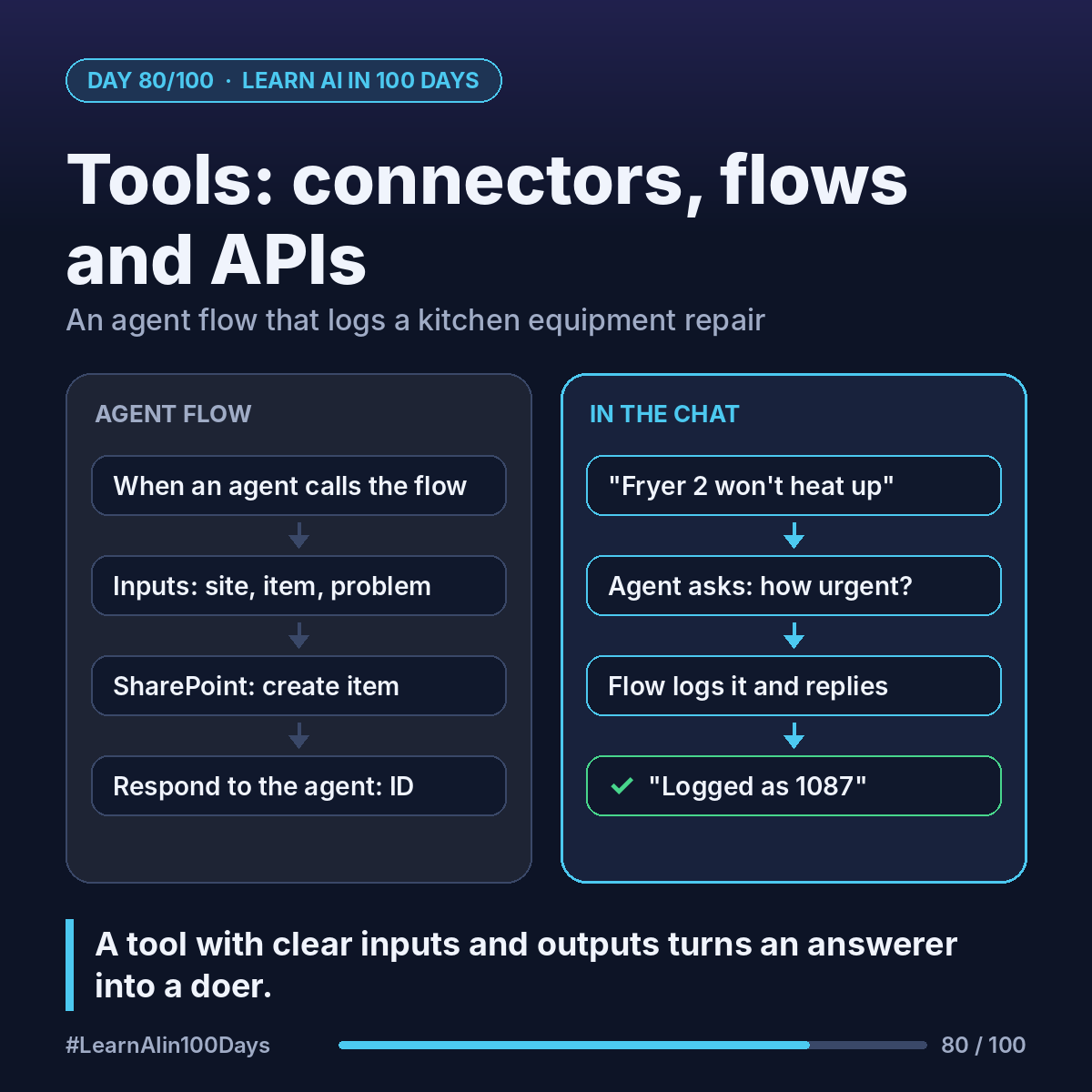
A restaurant group's kitchen manager types: "Fryer 2 at the Elm Street site won't heat up."
1. Create an agent flow (Flows → New flow → Agent flow). It starts with the trigger "When an agent calls the flow" and ends with "Respond to the agent".
2. Inputs on the trigger: Site, Equipment, Problem, Urgency.
3. Actions in between:
- SharePoint: create an item in the "Repair requests" list.
- Teams: post the request to the maintenance channel.
4. Output on "Respond to the agent": the new item's ID, e.g. 1087 (illustrative).
5. Publish the flow, then in the agent: Tools → Add a tool → Agent flow → pick it. Description: "Logs a kitchen equipment repair request and returns the request ID."
6. Test: the agent asks "How urgent is it?", runs the flow, replies "Logged as request 1087. Maintenance notified."
Rules to know:
- The flow must reply within 100 seconds, with "Asynchronous response" off. Slower steps go after the reply.
- Authentication: "End user" uses the person's own access; "Maker-provided" uses yours. Choose deliberately.
Where you see it at work
- Banking: create a service case in the CRM.
- Insurance: open a claim record, email the adjuster.
- Healthcare: log a broken device for biomedical engineering.
- Retail: raise a stock transfer between stores.
- BA: each tool is a requirement: inputs, outputs, owner.
Try it today (10–15 min)
1. Read: https://learn.microsoft.com/en-us/microsoft-copilot-studio/advanced-flow-create
2. Make a SharePoint list (or Excel table in OneDrive) with 4 columns.
3. Build the flow: trigger, one "create" action, respond with the ID.
4. Add it as a tool: https://learn.microsoft.com/en-us/microsoft-copilot-studio/advanced-plugin-actions and test in the test pane (testing doesn't consume capacity).
In one sentence
A tool, like an agent flow with clear inputs and outputs, turns your agent from an answerer into a doer.
Which form at work would you replace with an agent plus one flow? 👇