The concept
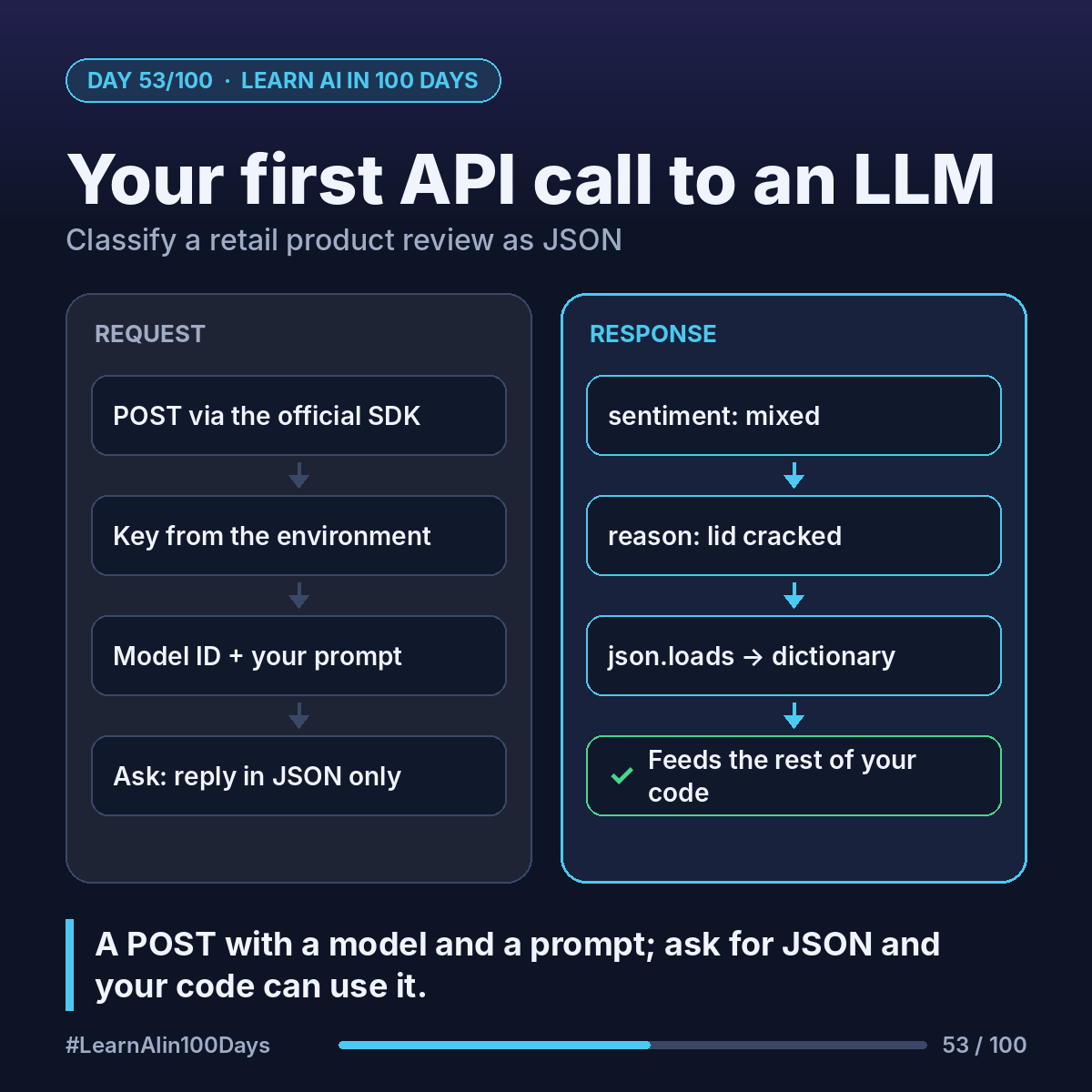
An LLM API call is the same request/response you met on Day 50:
- You POST to the provider's endpoint.
- Your API key goes in a header (Day 51); the SDK does this for you.
- The body names a model and your message.
- The answer comes back as JSON.
SDK (software development kit): the provider's official library that wraps those requests for you.
Walkthrough: classify one product review
The review: "The blender is powerful, but the lid cracked after two weeks."
Step 1. Write the prompt:
"Classify this review's sentiment as positive, negative or mixed. Reply with JSON only: {"sentiment": ..., "reason": ...}. Review: <text>"
Step 2. Send it. Anthropic's Python SDK (after import anthropic):
client = anthropic.Anthropic()
msg = client.messages.create(model=MODEL, max_tokens=200, messages=[{"role": "user", "content": prompt}])
print(msg.content[0].text)
OpenAI's Python SDK (after from openai import OpenAI):
client = OpenAI()
r = client.responses.create(model=MODEL, input=prompt)
print(r.output_text)
MODEL is a current model ID from the docs. No key in the code: the clients read ANTHROPIC_API_KEY or OPENAI_API_KEY from the environment.
Step 3. Read the reply. A typical answer (illustrative):
{"sentiment": "mixed", "reason": "Praises power, complains the lid cracked."}
Step 4. Use it. json.loads turns that text into a Python dictionary. Day 49's counting idea now works on sentiment.
Caveats: answers can vary slightly between runs, and API usage is billed per token, separately from chat subscriptions. Check the pricing pages.
Where you see it at work
- Retail: tag reviews and route "negative + defect" to the quality team.
- Banking: label complaint emails by topic.
- Insurance: pull claim type and date from a first notice of loss.
- Healthcare: sort portal messages into admin vs clinical, with a clinician in the loop.
- Product management: count feature requests in app-store feedback each sprint.
Try it today (10–15 min)
1. Pick one provider and open its quickstart:
Anthropic: https://platform.claude.com/docs/en/get-started
OpenAI: https://developers.openai.com/api/docs/quickstart
2. Create an API key in the console and set it as an environment variable, never in the script.
3. Install the SDK (pip install anthropic or openai) and run the quickstart example.
4. Swap in the review prompt. Try three reviews of your own, one sarcastic.
In one sentence
An LLM API call is a POST with a model and a prompt; ask for JSON and the answer can feed your code.