The concept
Knowledge: facts the agent needs that aren't in the model or the input. Here, two small files:
- Project glossary: team terms and abbreviations.
- Owner directory: who covers which area, with their email.
Two ways to give an agent knowledge:
- Put it in the prompt: fine when it's short, like our two lists.
- Retrieve it (RAG, Days 31–32): search a larger set of documents and add only the relevant pieces.
Start simple. Switch to retrieval when the material outgrows the prompt.
Walkthrough: our bank mobile-app sync
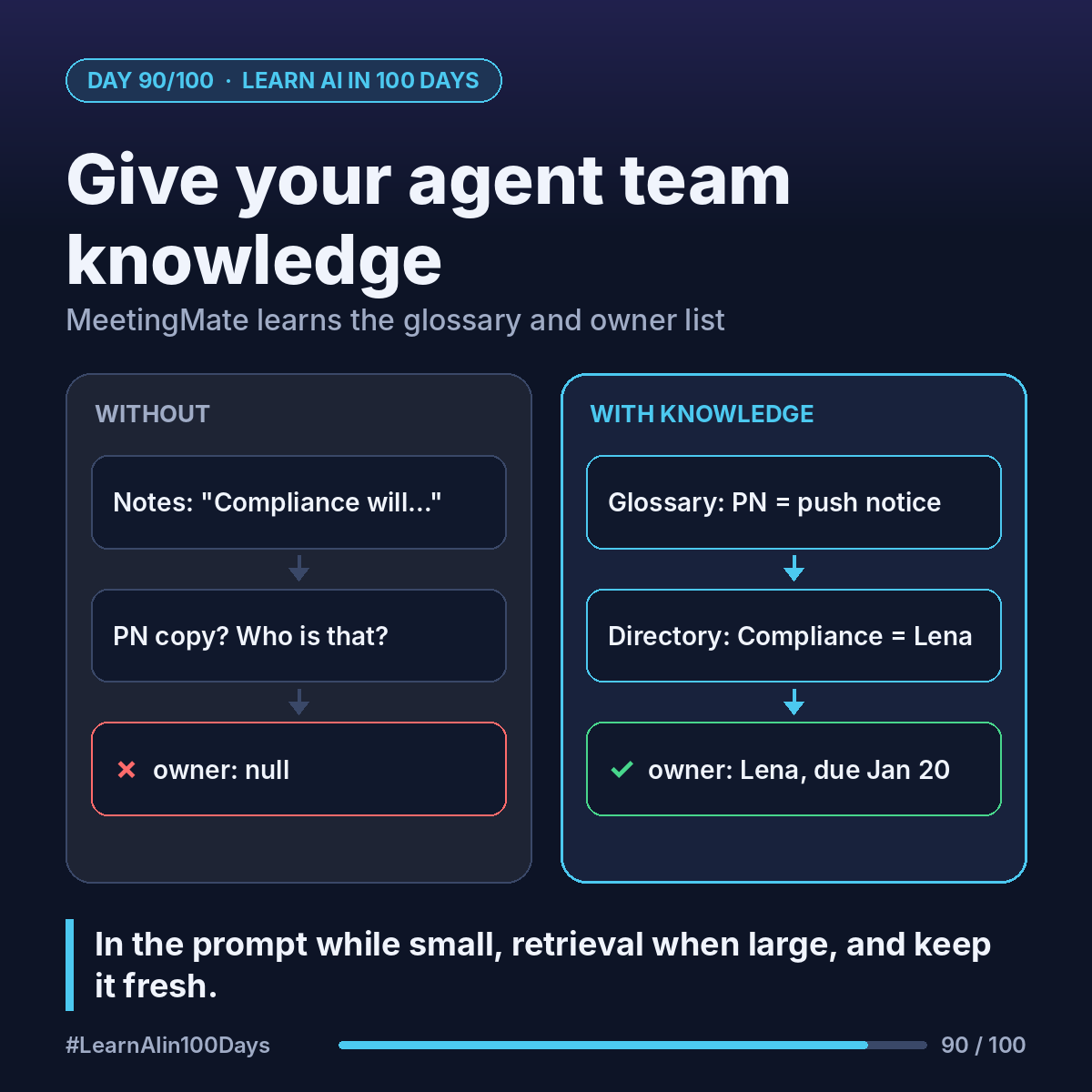
The notes say (illustrative): "Compliance will check the PN copy by next Wednesday."
Without knowledge, MeetingMate returns owner: null and the task "check the PN copy". Correct per Day 87's rules, but not useful.
With knowledge, inside tags in the system prompt:
<glossary> PN copy = the wording of push notifications in the mobile app. MOB- = mobile backlog ticket. </glossary>
<owner_directory> Compliance: Lena. Engineering, mobile: Raj. Product: Ana. (each with a work email) </owner_directory>
Now the result:
{"task": "Review new push-notification wording", "owner": "Lena", "due_date": "2027-01-20", "quote": "Compliance will check the PN copy by next Wednesday"}
Two guardrails:
- If the directory lists two people for one area, MeetingMate asks rather than picks.
- Give each file an owner and a "last updated" date. Stale knowledge gives confident wrong answers.
In Copilot Studio, the same idea is a knowledge source: upload the two files, or point the agent at the SharePoint site where they live.
Where you see it at work
- Banking and insurance: product codes and team names change; an owned glossary prevents wrong tickets.
- Business analysis: the glossary is your data dictionary.
- Product owners: ask who maintains the directory before launch, not after.
Try it today (10–15 min)
1. Write 10 terms your team uses that an outsider wouldn't know.
2. Write a 5-row owner directory: area, person, email.
3. Add both to your Day 87 system prompt in tags, and test 3 vague sentences like the one above.
4. Read the docs on knowledge sources and on citations (answers that point to the passage used):
https://learn.microsoft.com/en-us/microsoft-copilot-studio/knowledge-copilot-studio
https://platform.claude.com/docs/en/build-with-claude/citations
In one sentence
Give your agent the team's glossary and owner directory, in the prompt while small, through retrieval when large, and keep both up to date.
What's one term at your work that confuses every newcomer? 👇