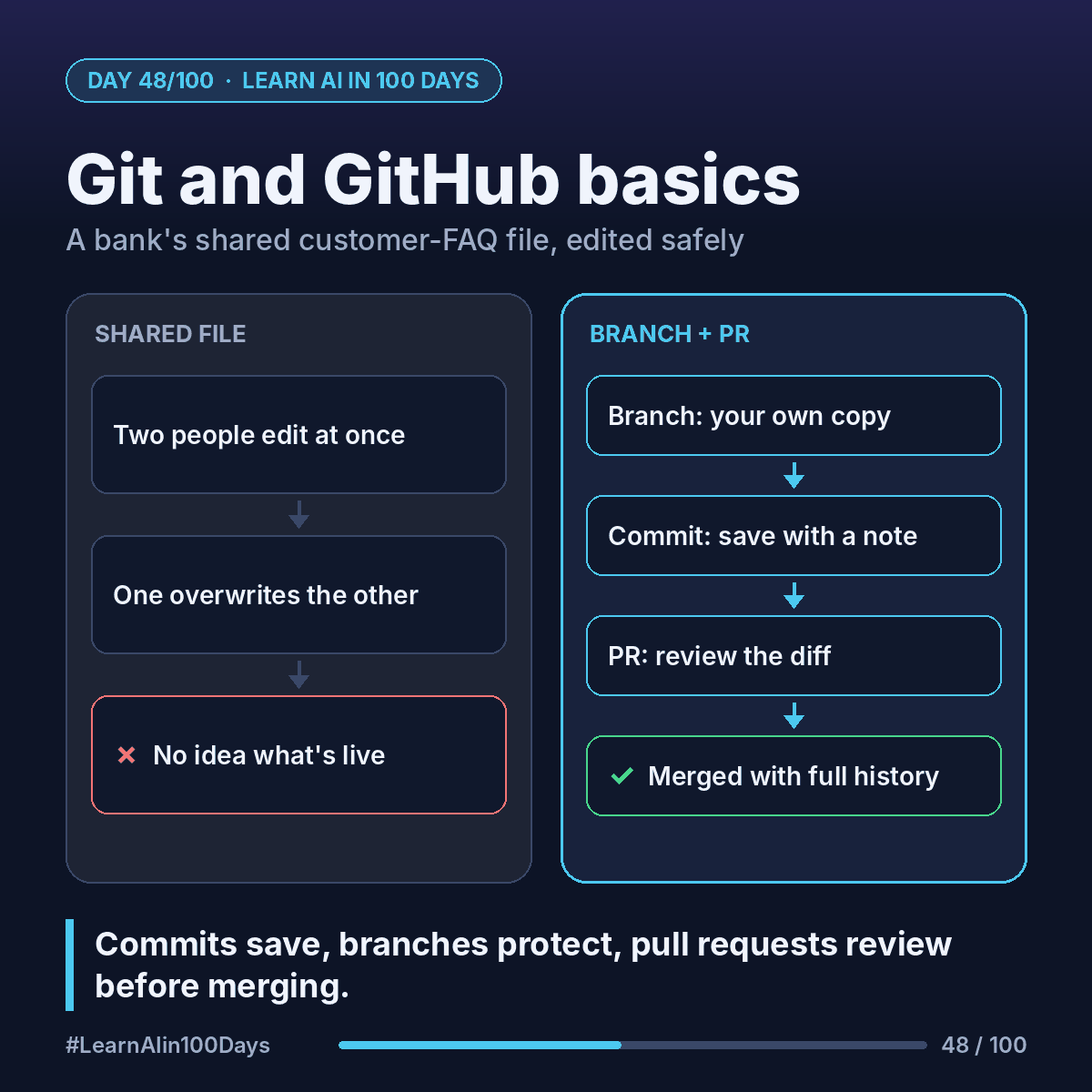
The concept
Git: a tool that tracks every change to a set of files, who made it, and why.
GitHub: a website that stores Git projects online and adds teamwork features.
Four words to know:
- Repository (repo): a project folder plus its full history.
- Commit: a save point with a note ("Update card timing").
- Branch: your own copy to try changes without touching the main version.
- Pull request (PR): "please review my branch and merge it into main."
Walkthrough: a bank's shared customer FAQ
The repo holds faq.md. The main branch is what's live on the website.
1. Priya in support needs to change "replacement cards arrive in 5–7 business days" to "3–5 business days." She creates a branch: update-card-timing. Main is untouched.
2. She edits one line and commits: "Update card replacement timing."
3. Same week, Sam adds a fees section on his own branch. No collision.
4. Priya opens a PR. GitHub shows the diff: the old line in red, the new one in green.
5. Compliance comments: "Add 'for standard delivery'." She commits again; the PR updates.
6. Approved → merged into main. The history shows who changed what, when and why.
Wrong number? Revert that one commit. Nothing else is lost.
Why this matters for AI: coding agents create branches and open PRs too. You review their work like a teammate's (Day 44).
Where you see it at work
- Banking and insurance: an audit trail of every change to customer-facing wording.
- Healthcare: patient materials reviewed before they go live.
- Product owners: "merged after review" makes a clean definition of done.
- Business analysis: requirements and process docs with real version history.
Try it today (10–15 min)
1. Create a free account at https://github.com
2. Click New repository, name it hello-world, tick "Add a README file", then Create repository.
3. Click the branch dropdown (it says main), type readme-edits, then click "Create branch: readme-edits from main".
4. Open README.md, click the pencil to edit, add one line on why you're learning AI, then Commit changes.
5. Pull requests → New pull request → compare readme-edits with main → Create pull request → Merge pull request → Confirm merge.
Official guide with screenshots: https://docs.github.com/en/get-started/using-github/hello-world
In one sentence
Commits are save points, branches are safe copies, and pull requests are reviewed merges, so a team (or an AI agent) can change shared files without chaos.