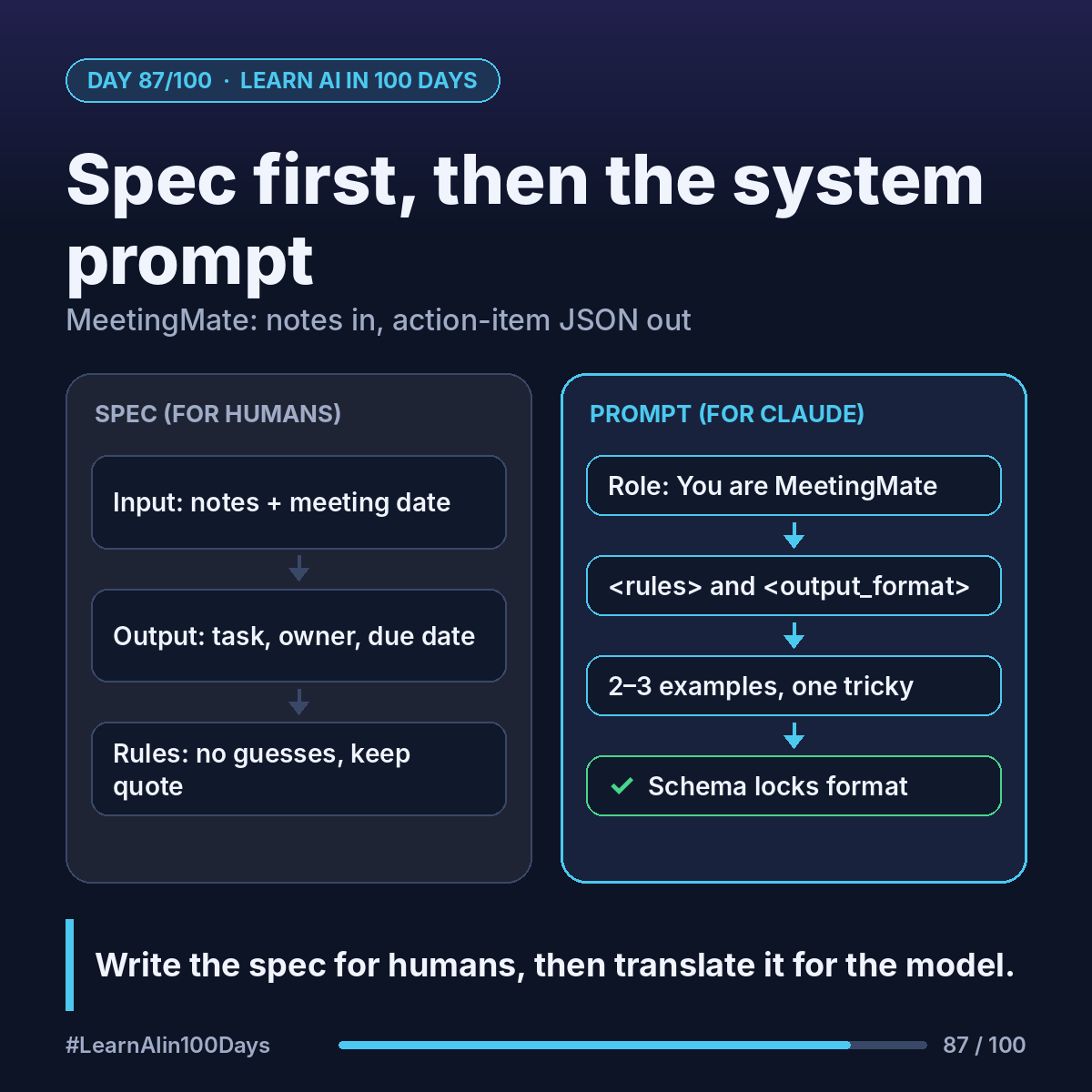
The concept
Spec: a short document saying what goes in, what comes out, and the rules in between. Written for humans: you, your reviewer, your tester.
System prompt: the standing instructions the model reads before every request. It's the spec, rewritten for the model.
Write the spec first. The prompt is a translation of it.
Walkthrough: MeetingMate's spec, one section at a time
Input: meeting notes or a transcript, plus the meeting date.
Output: a JSON list. For our bank mobile-app sync (Ana, Raj, Lena), held on Monday 11 January 2027, item 3 looks like this (illustrative):
{"task": "Share updated release plan with stakeholders", "owner": "Ana", "due_date": "2027-01-14", "quote": "Ana will send the updated release plan by Thursday"}
Rules:
- Only include a task someone actually agreed to. No guesses.
- Owner unclear? Set owner to null and say so. Don't pick someone.
- Turn "by Friday" into a real date, using the meeting date.
- Keep the quote, so a human can check each item in seconds.
- Never create a task or send an email. Only propose; a human approves (Day 89).
Now the system prompt. Anthropic's prompting guide suggests a clear role, direct instructions with reasons, and XML-style tags to separate instructions from data. Trimmed:
You are MeetingMate. You turn meeting notes into action items for a product team.
<rules> ...the 5 rules above, word for word... </rules>
<output_format> ...the JSON example above... </output_format>
The notes go in the user message inside <notes> tags.
Two extras worth adding:
- 2–3 examples, including a tricky one (a task with no owner).
- Structured outputs: the Claude API can hold the reply to your JSON schema.
Where you see it at work
- Product owners: each rule becomes an acceptance criterion and a test (Day 91).
- Banking and healthcare: "no guesses, keep the quote" is the audit trail reviewers ask for.
Try it today (10–15 min)
1. Write a 5-part spec: input, output, rules, never-do list, one example.
2. Turn it into a system prompt using the tag layout above.
3. Paste it into Claude.ai with notes from a non-confidential meeting. Check each item against your rules.
4. Read the official guidance:
https://platform.claude.com/docs/en/build-with-claude/prompt-engineering/claude-prompting-best-practices
https://platform.claude.com/docs/en/build-with-claude/structured-outputs
In one sentence
Write the spec for humans first, then translate it into a system prompt with a role, clear rules, tags and an example.
Which rule would you add to MeetingMate's spec? 👇