The concept
Token: a chunk of text, about ¾ of a word (Day 16). APIs bill per million tokens, input (what you send) and output (what the model writes) priced separately.
Latency: how long the user waits.
Monitoring: logging every run to see cost, speed and errors over time.
Walkthrough: what one MeetingMate run costs
All numbers are illustrative. Use your real counts and current prices.
1. Count what you send per call:
- System prompt, glossary, owner directory, tool definitions: ~3,000 tokens.
- The 30-minute product sync transcript: ~6,000 tokens.
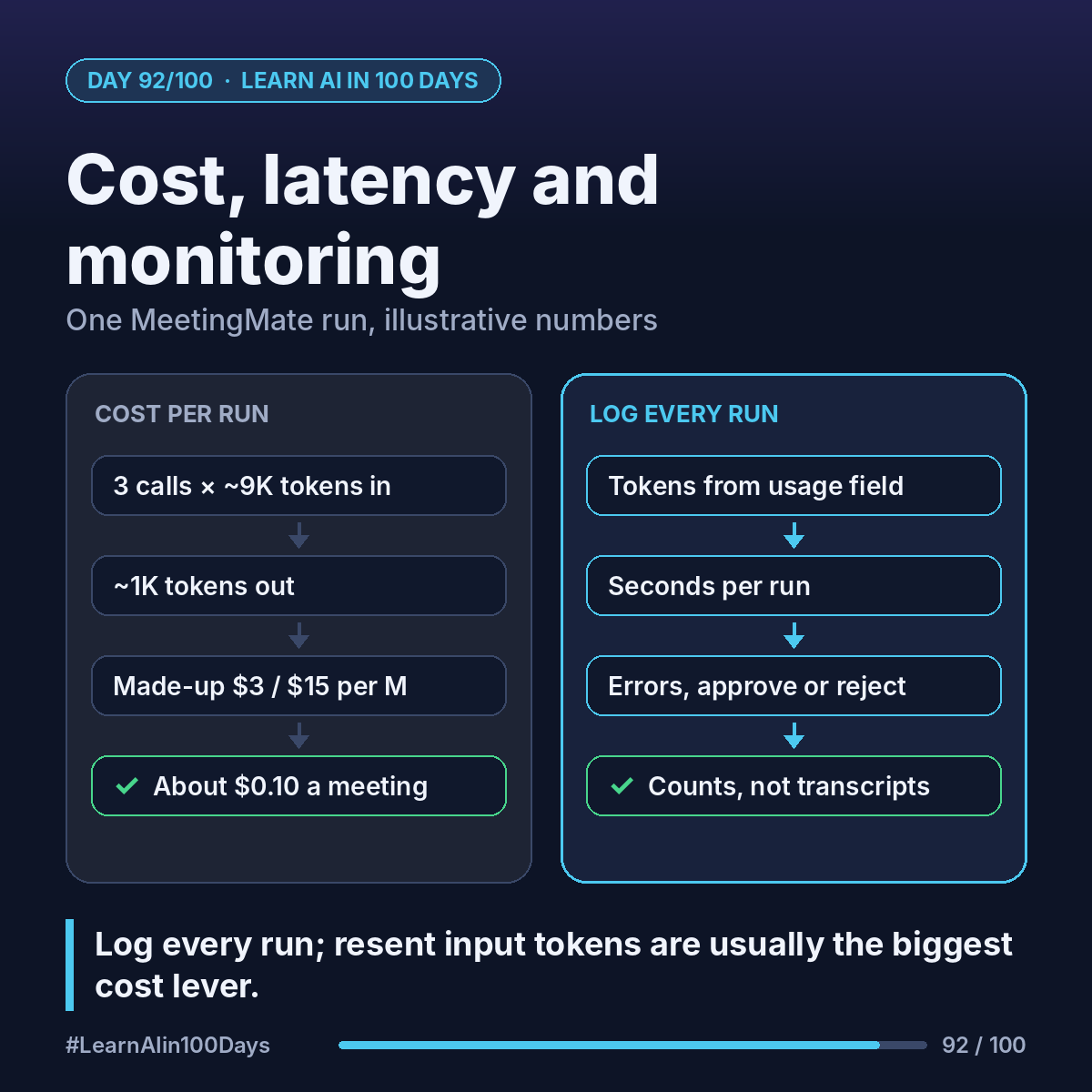
2. Count the calls. The agent loop (Day 88) resends the conversation each turn: extract items and call list_open_tasks, read the tool result, draft the email. 3 calls × ~9,000 = ~27,000 input tokens, plus ~1,000 output.
3. Apply a price. Same made-up rates as Day 16, $3 per million input and $15 per million output:
- Input: 27,000 × $3 ÷ 1,000,000 = $0.081
- Output: 1,000 × $15 ÷ 1,000,000 = $0.015
- About $0.10 a meeting; 300 meetings a month ≈ $29.
Input is most of the bill, because context is resent every turn. Levers:
- Prompt caching: the unchanging part (instructions, glossary, tools) is reused at a reduced input price.
- A smaller, faster model for simple steps, if it still passes your Day 91 evals.
- Cap output length; trim filler like "can you hear me?".
4. Latency: time each step. 3 calls at ~5 seconds each (illustrative) means Ana waits ~15 seconds. Fine after a meeting; show "working on it".
5. Monitoring: per run, log time, model, input and output tokens (each API response reports them in its usage field), seconds, tools called, errors, and whether the human approved, edited or rejected. Log counts, not transcript text.
Where you see it at work
- Banking: cost per case is a line in any AI pilot's business case.
- Insurance: claims teams watch latency in peak storm weeks.
- Healthcare: logs show which documents slow a summarizer.
- Product management: cost per run × volume = your budget ask.
Try it today (10–15 min)
1. Note input and output rates for one model: https://platform.claude.com/docs/en/about-claude/pricing
2. Estimate tokens for one of your meetings (words ÷ 0.75) × number of calls.
3. Put 1 run and 1 month in a spreadsheet.
4. If you've made API calls, compare with the Console's Usage and Cost pages: https://platform.claude.com/usage
In one sentence
Log every run to know cost, seconds and errors per run; resent input tokens are usually the biggest lever.